
NaviExpert
Download and test for free!






Download NaviExpert for your phone

or use the operator's version



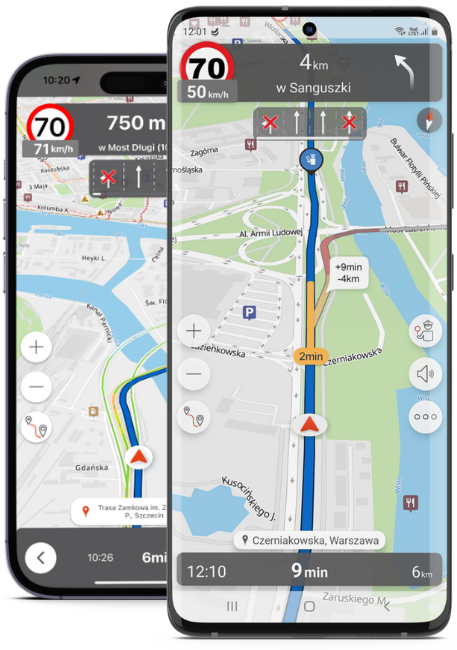

You can download and test it first, to later decide whether you want to buy it. You can purchase the app and pay with a card in the app, or you can buy it from your operator.


Miłosz 30/09/2022
Testowałem wszystkie aplikacje, ta jest najlepsza. Koszt zakupu powinien się zwrócić w paliwie przez uniknięcie korków czy niepotrzebnego przyśpieszania (na mapie widać ograniczenia prędkości z wyprzedzeniem).

Maciej 10/09/2022
Korzystam od 6 lat i jestem bardzo zadowolony. Polecam wszystkim warto zapłacić za tą aplikację. Aplikację można otrzymać gratis przy zakupie ubezpieczenia w Link4.
Krzysztof 9/09/2022
Korzystam od wielu lat z aplikacji i zawsze doprowadza mnie bez problemu do miejsca docelowego. POLECAM
Andrzej 19/08/2022
Korzystam z aplikacji od paru lat i lepszej nie ma. Pozwoliła mi zaoszczędzić paliwa i kilometrów. Dokładnie informuje o sytuacji na drodze i kontrolach. Super
Michał 17/08/2022
Zdecydowanie moja ulubiona nawigacja, a sprawdziłem wszystkie najpopularniejsze na rynku. NaviExpert jest zawsze aktualny, zawsze fajnie pokaże jak przebrnąć przez skomplikowane skrzyżowania i wyświetla ograniczenia prędkości. Rewelacja

Dzola 15/08/2022
Super nawigacja, jeśli chce się ominąć trasy płatne, wybierasz sobie rodzaj trasy jaką chcesz jechać. Myślę, że za rok też z niej skorzystam.
Michał 3/08/2022
Bardzo szczegółowa, z wyszczególnieniem dopuszczalnej prędkości na danym odcinku i możliwych kontrolach.

Partners


